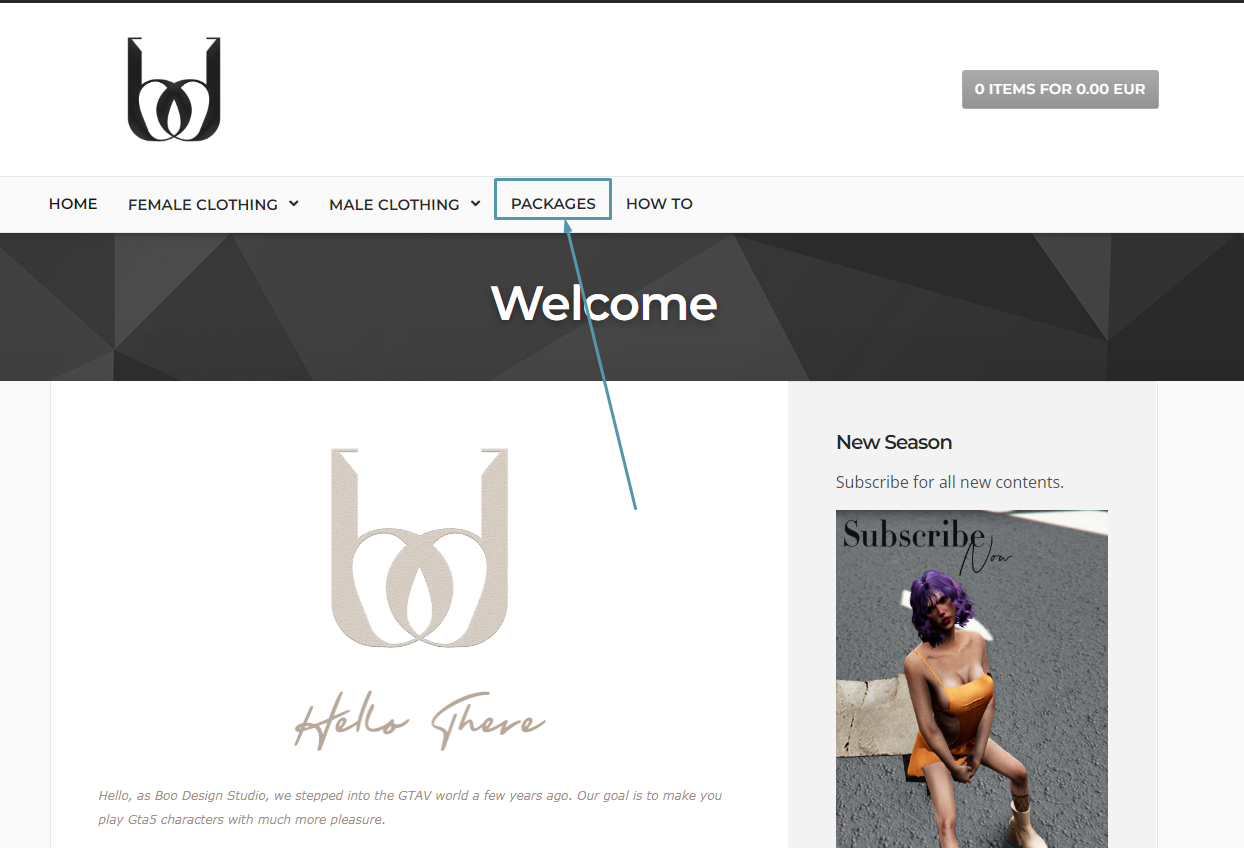
1- Click on the category you want to buy.
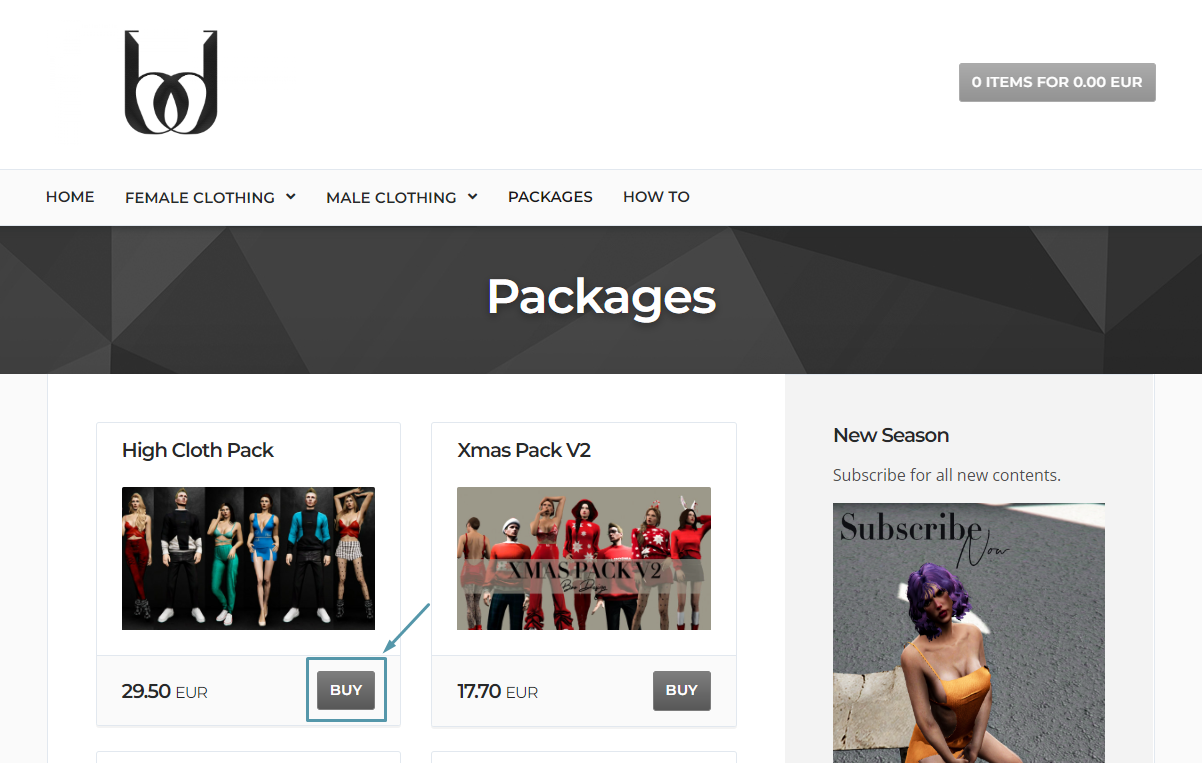
2- Click on the "Buy" text above the product you want to buy.
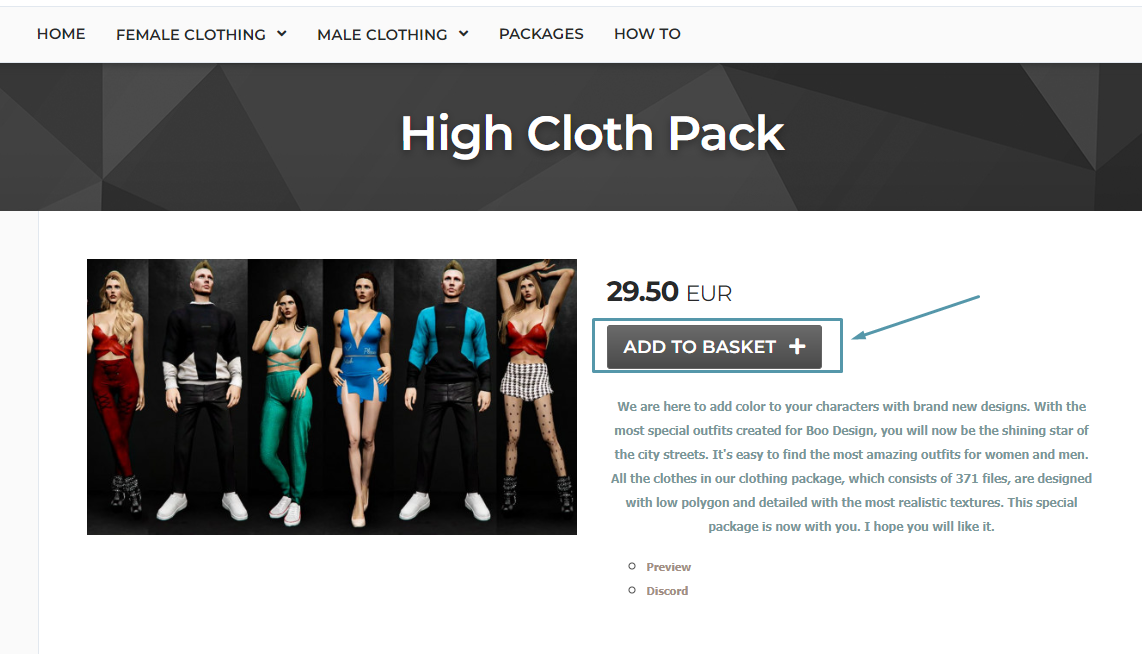
3- Click on "Add to Basket".
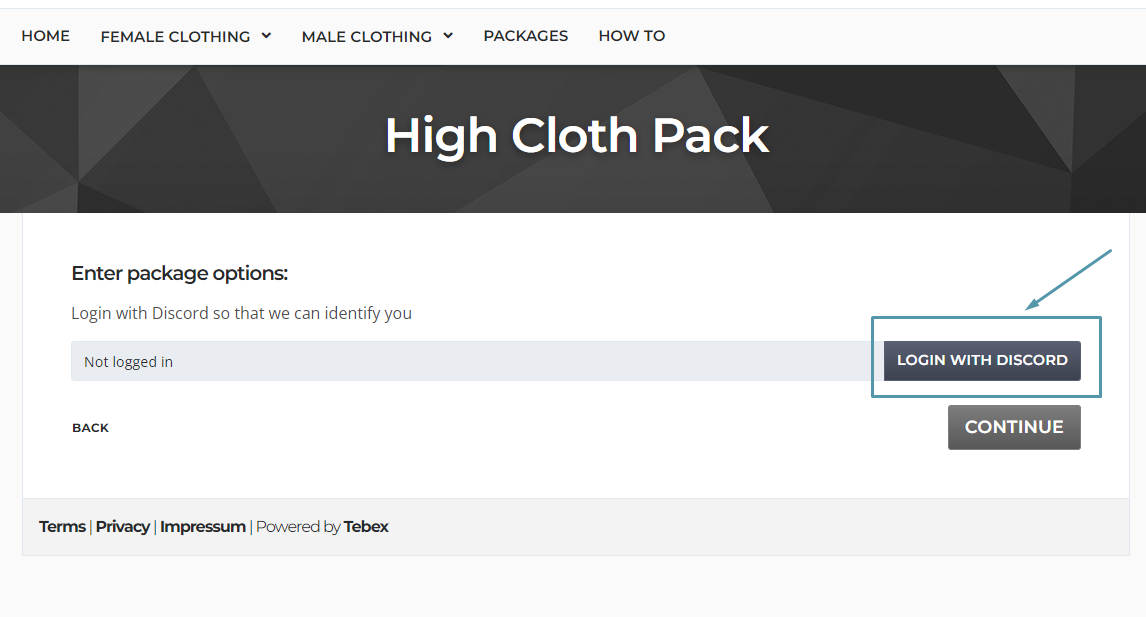
4- Click on "Login with discord" and After logging in with Discord, click "continue".
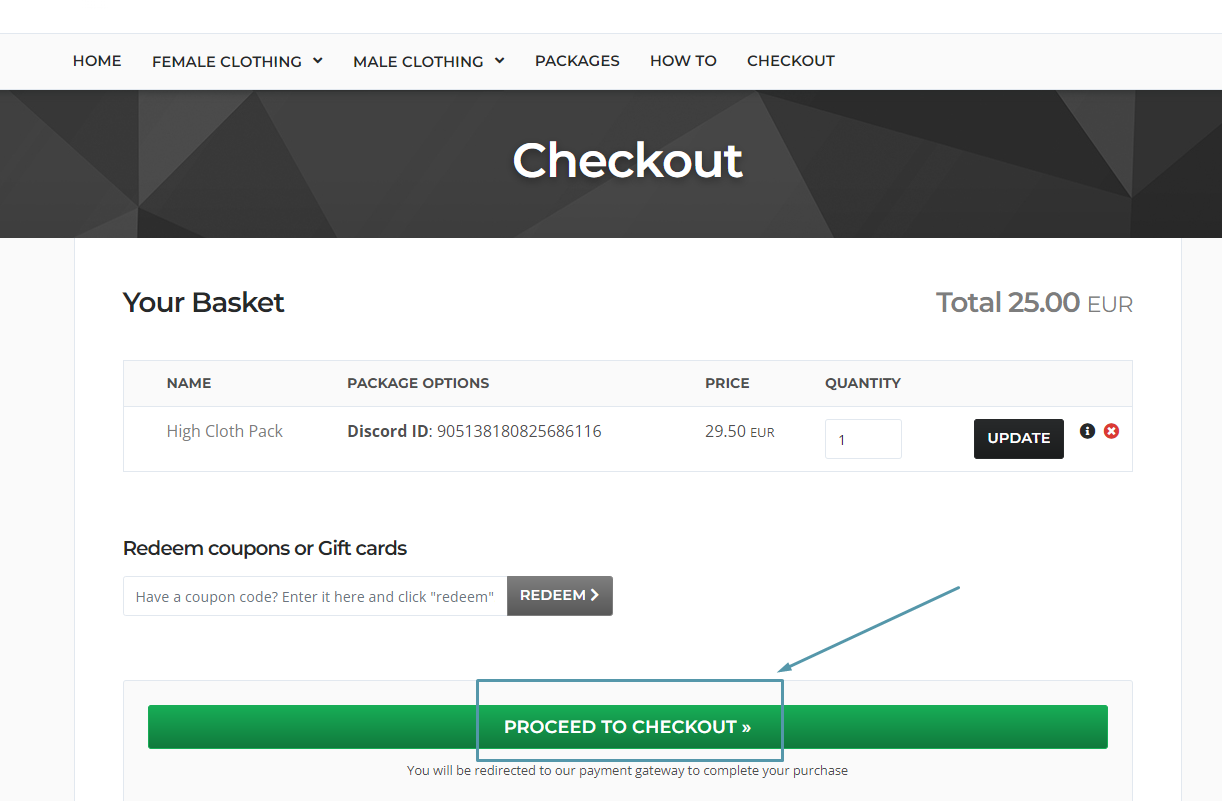
5- After checking the information of the product you want to buy, click on "proceed checkout".
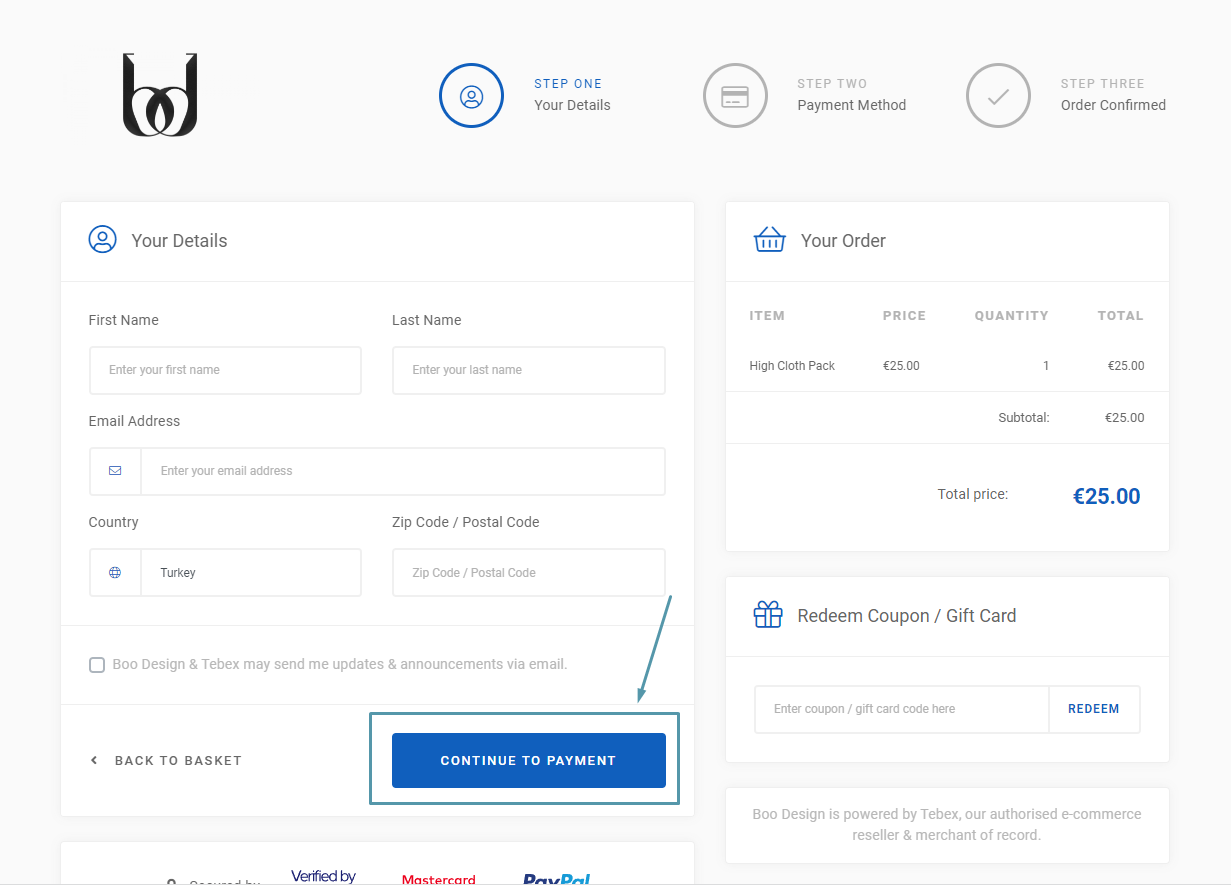
6- After filling your personal information completely, click on "continue payment".
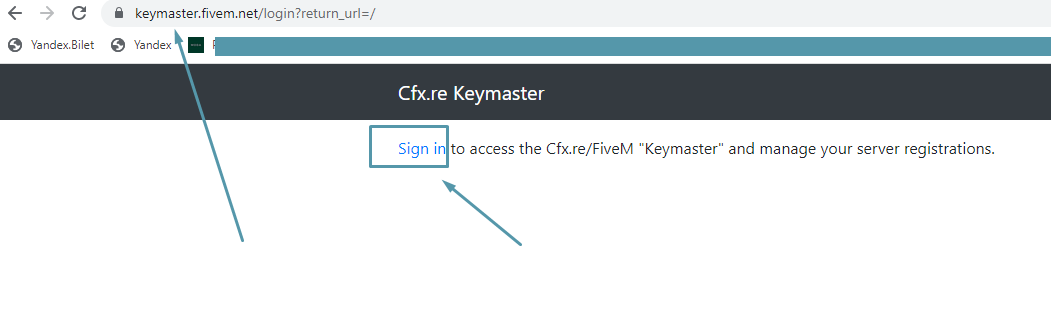
7- After your payment is completed, the product you purchased will be defined in your keymaster account. Please log in to the keymaster website.
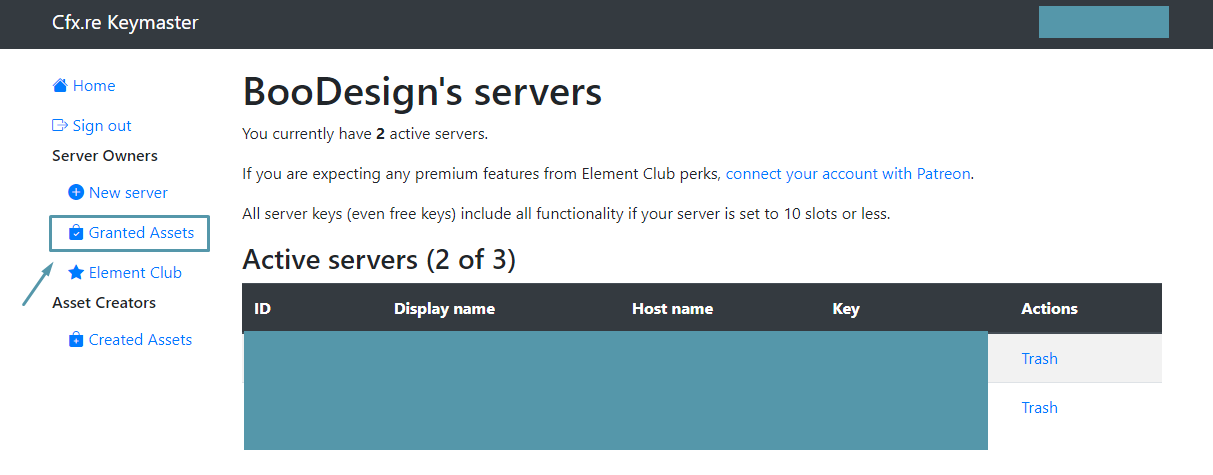
8- Click on "Granted Assets".
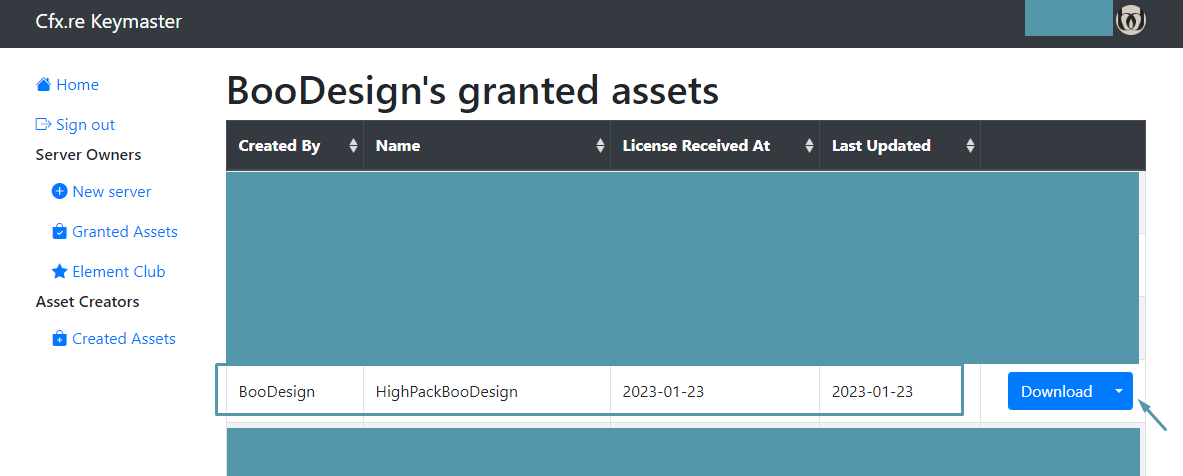
9- Find and download the product defined in your account. Remember, the product you downloaded can only be used for the fivem server that is defined for the key that belongs to you. It is not possible to use it on a second server as an extra. If you are a player on a server that does not belong to you and you want to use the clothes on that server, you can define the clothes for the person's account by learning the Cfx.re username of the server owner. You cannot take back the clothes you transferred to the server owner and reuse them on your behalf.
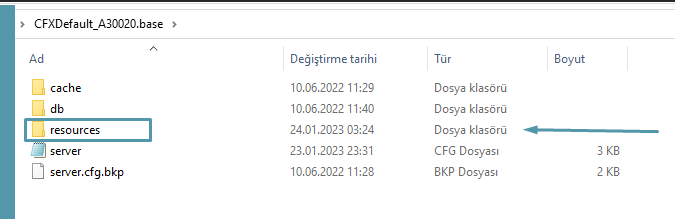
10 - Open your server resources on your computer.
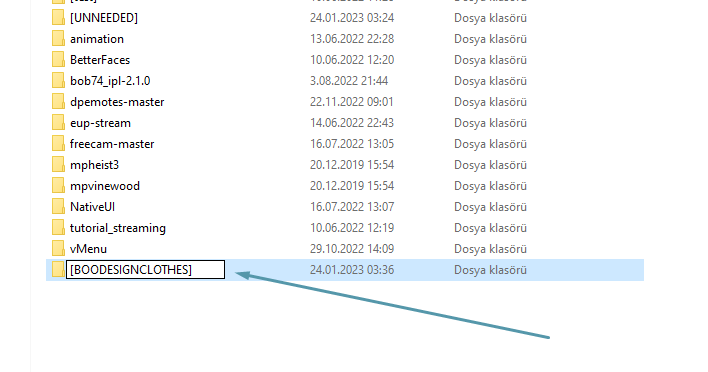
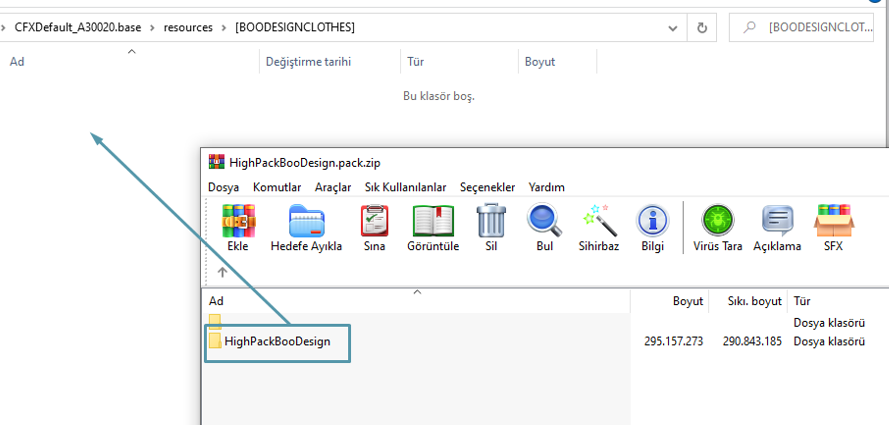
11- Create a new folder within the "Resource" file and edit its name as shown below.
12- Find the product you downloaded and drag and drop the main file inside the zip file as shown.
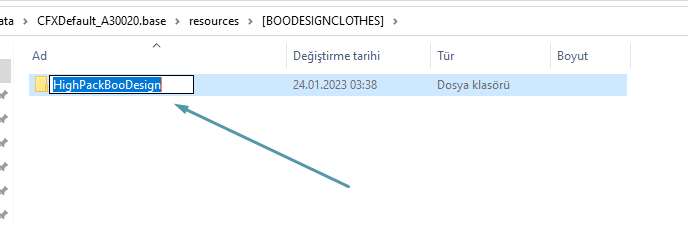
13- Copy the folder name.
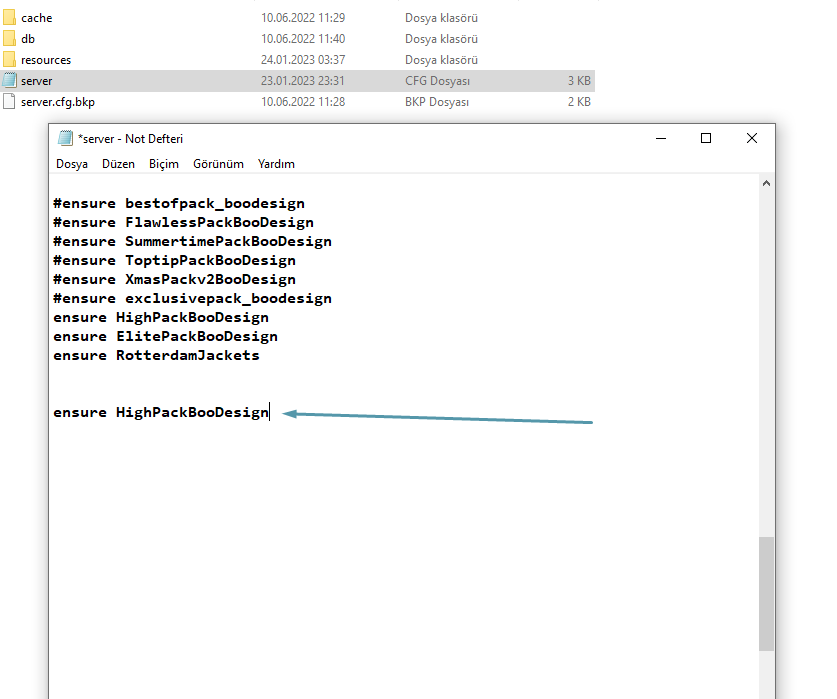
14- Open your server cfg and type "ensure _____(filename)___". It should be as shown in the image below.
15- Start your server and enjoy your new clothes. Do not hesitate to contact our team for further assistance and information. We are always here to help. CLICK ME FOR HELP